Schemas & compatibility
Work with Avro, JSON Schema, and Protobuf subjects.
Connect the registry#
Configure the cluster's Schema Registry endpoint and its authentication/TLS settings. If the integration is absent, KUI shows a not-configured state; Kafka topic and consumer views remain available.
Browse subjects and versions#
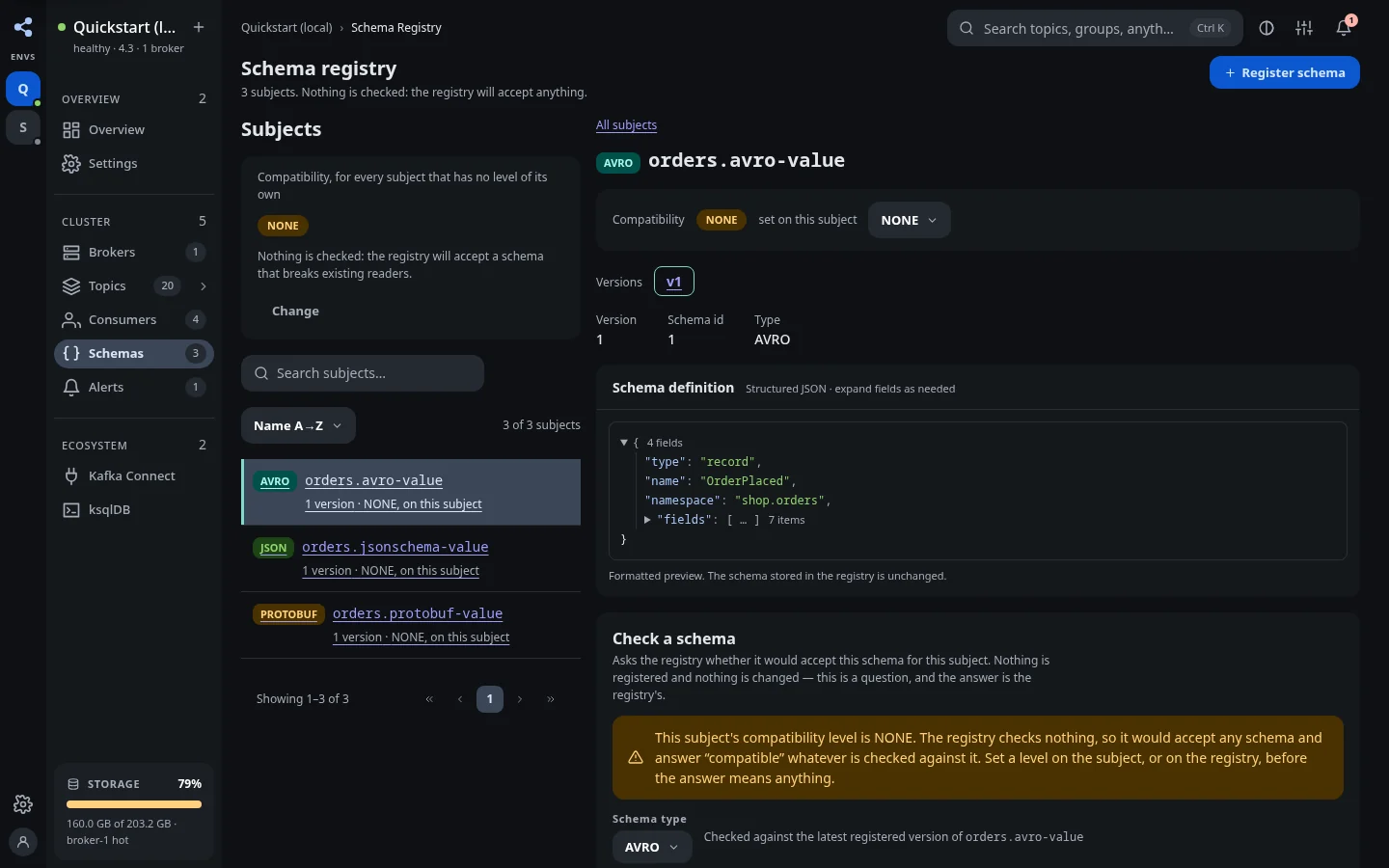
Open Schemas, choose a subject, and inspect its versions and definitions. KUI supports Avro, JSON Schema, and Protobuf workflows. Use the definition and version information to understand the record encoding expected by clients.
Check compatibility#
Review the subject's current compatibility configuration. Test a proposed schema against the relevant existing schema before registration. A compatibility setting is a registry policy; it does not prove that every downstream application will accept a semantic change.
Register a schema#
Use the registration workflow with the correct schema type, subject, and definition. Fix any validation or compatibility error and retry with the intended definition. Verify the registered version afterward.
Decode records#
Return to the message browser and choose the corresponding registry-backed format. The registry used by KUI must be able to resolve the schema IDs encoded in the record. Replaying raw bytes into a topic does not copy its registry subjects.