Your first session
Find your way from cluster health to individual records.
Read the cluster#
Open the quickstart UI and choose the local cluster. Start at Overview: check broker availability, partition sync, traffic, storage, and consumer lag. Use the Traffic and Storage tabs for a more focused view.
Inspect a topic#
Open Topics and choose a seeded topic. Its overview, partitions, consumers, and settings explain how the topic is configured and who is reading it. Open the message browser to see individual records.
Find a record#
Choose the key and value formats that match the topic. Start from earliest to inspect retained history, latest to follow new records, or an offset/timestamp for a known point. Expand a row to inspect its key, value, and headers. Copy a payload with the explicit copy controls.
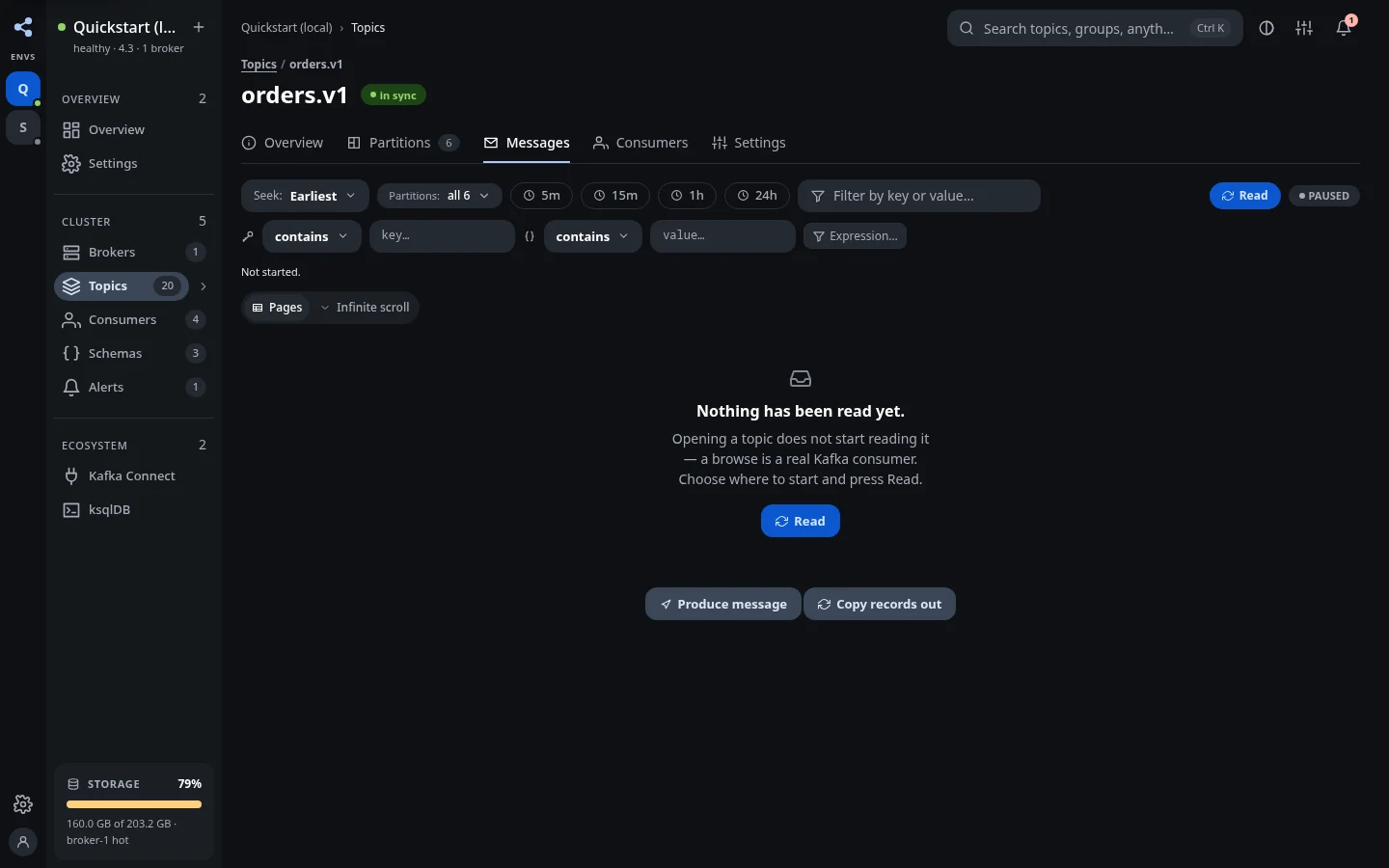
Try a field filter against a visible sample before using it on a browse. Pagination and infinite-scroll loading are available for different reading styles.
Follow an operational question#
- Growing lag: open consumer groups and inspect partitions and members.
- Payload trouble: inspect schemas and compatibility.
- Pipeline failure: open Connect and inspect task state.
- Cluster signal: read alerts and acknowledge events after review.
Before a write#
Check the selected environment and topic. Read-only clusters and insufficient permissions block writes. For destructive actions, review the proposed plan and confirmation. A local replay still appends real records to its destination; understand its boundaries before copying.