Consumer lag & offset plans
Inspect groups and preview an offset reset before applying it.
Diagnose the lag#
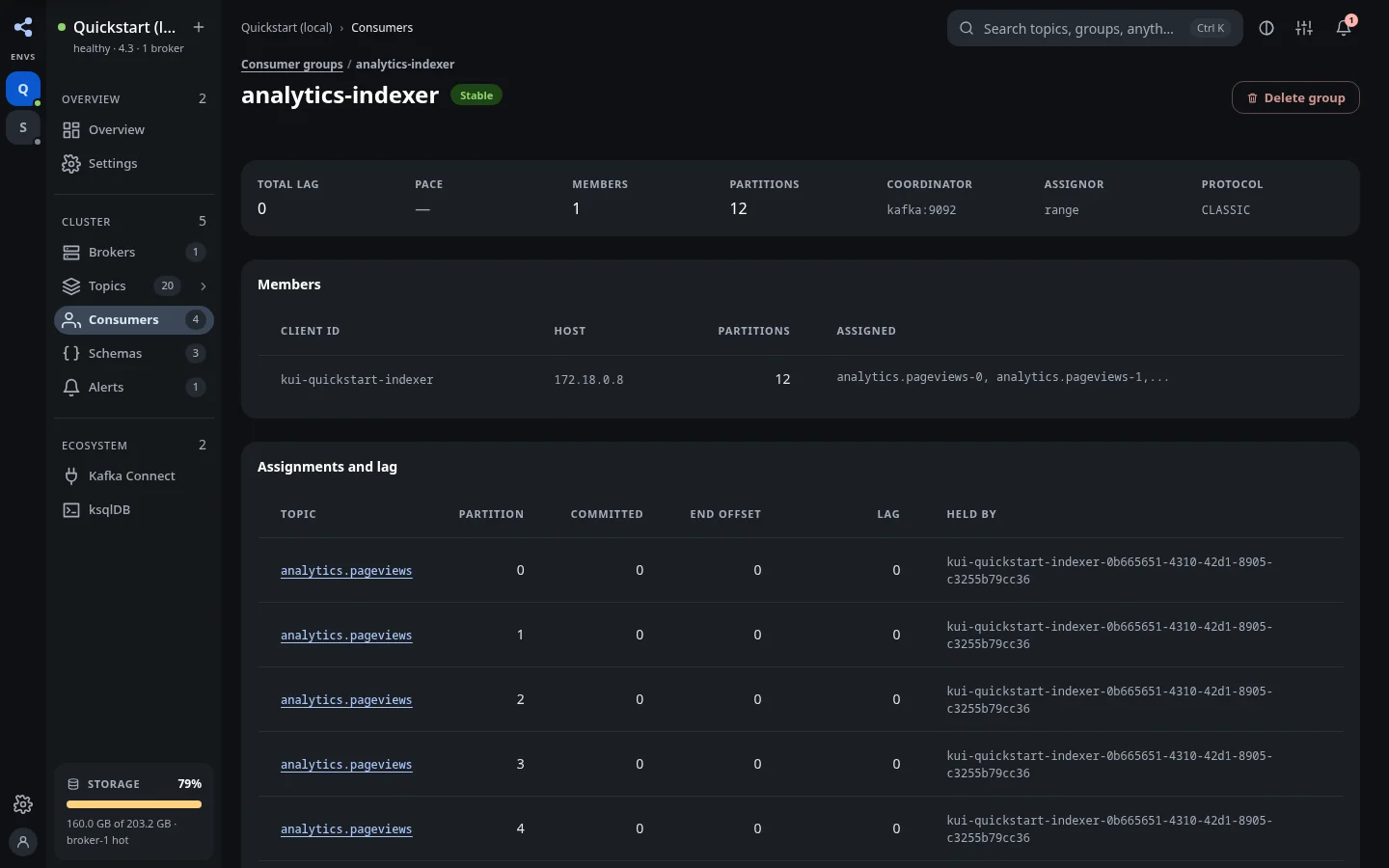
Open Consumers, choose a group, and inspect its state, members, assignments, committed offsets, and lag per partition. Look for whether lag is concentrated on one partition, whether members are assigned, and whether committed positions are moving.
Compose an offset reset#
Stop or coordinate the consuming application before a reset, according to the group's state and your operating procedure. Open Reset offsets, choose the topic, and select a supported target in Move to. Depending on the target, enter an offset, date/time, record shift, or time window.
Preview the plan#
Choose Preview the plan. Review the current and proposed offsets for every partition, including the direction and size of the change. Proposed positions can be clamped to the retained range; partitions without committed offsets need explicit attention.
The plan response includes a token. That token fixes the offsets reviewed in the preview. KUI applies the token rather than recomputing an unseen plan at confirmation time.
Apply and inspect#
Choose Apply this plan only after reviewing it. Inspect What was written, then verify the group positions. Resume the consuming application when appropriate. Moving backwards can process records again; moving forwards can skip records.
If a plan expires or is refused, return to the editor and review a new preview. Do not assume a newly computed plan would equal the old one: the retained and committed positions can change.
Group and offset administration#
The detail view also supports permitted offset deletion and group deletion. Deleting committed positions changes how the consumer starts under its own auto.offset.reset behavior. Read the confirmation text and distinguish forgetting offsets from resetting them to a known position.
KUI permissions, read-only mode, group state, and broker authorization still govern these actions.