Clusters & brokers
Navigate environments and understand cluster health.
Navigate environments#
Use the cluster switcher to move between registered clusters. The cluster identity is part of the URL, so a direct link retains its environment context. Use the cluster management view to inspect registered profiles.
Read health in context#
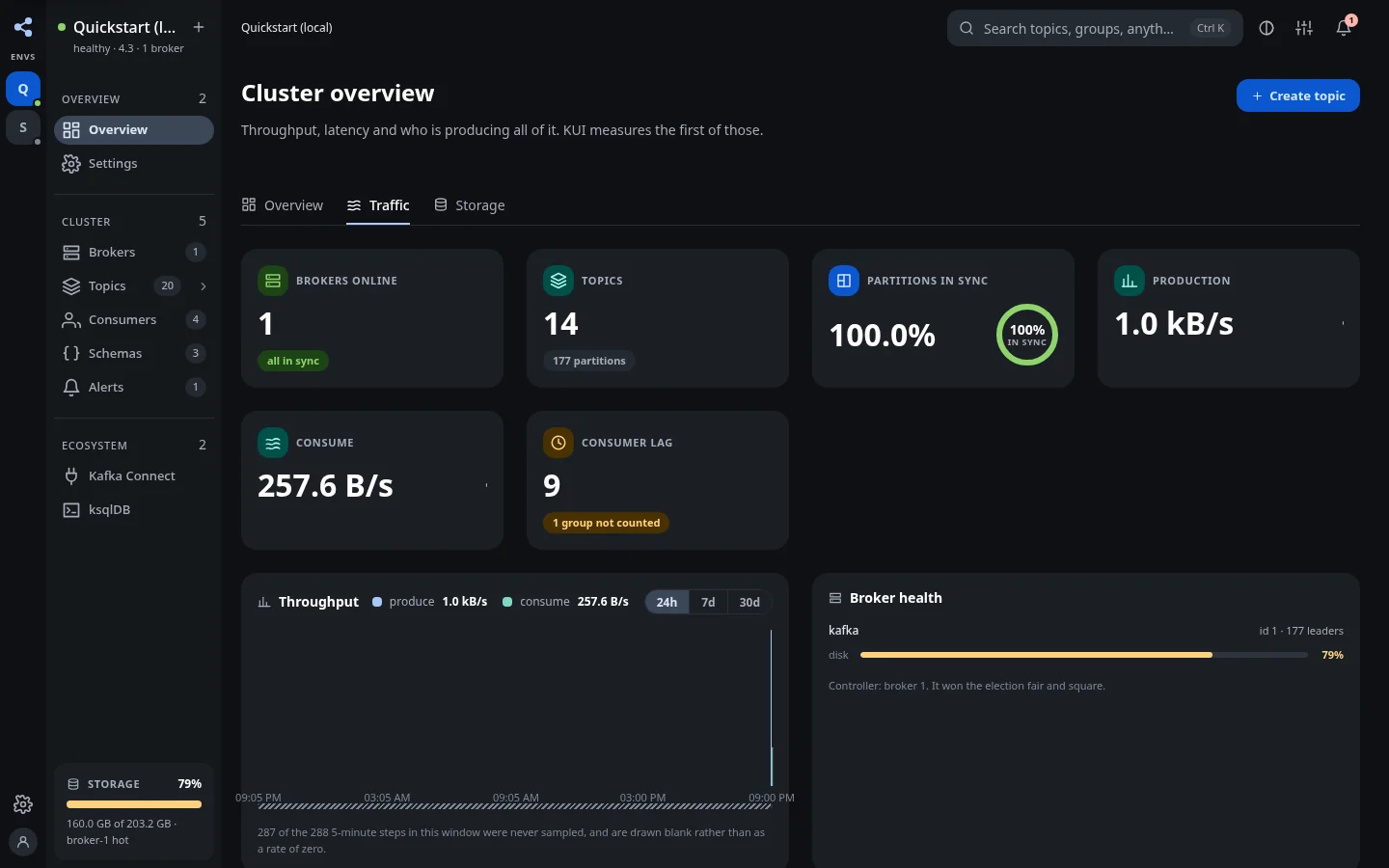
Overview brings together broker availability, topics, partition sync, production and consumption throughput, consumer lag, and storage. Traffic and Storage tabs provide more detailed metrics. Missing samples and unavailable integrations should be read as gaps, rather than assumed to be zero activity.
Inspect a broker#
Open Brokers, then a broker detail page. Review identity, topology, and configuration alongside the cluster's traffic and replica health. Investigate under-replicated partitions before treating aggregate throughput as evidence that the whole cluster is healthy.
Configure a cluster#
Profiles live under kui.clusters. Give environments stable IDs if links must survive a display-name change. Configure bootstrap servers, read-only mode, authentication, and TLS for the Kafka principal your deployment will use.
The three-cluster example illustrates multiple environments, SCRAM, and a private CA. Some example comments are historical; use the current deployment guide for runnable image names and security requirements.
Optional integrations#
Schema Registry, Connect, ksqlDB, and external metrics have separate upstream settings. A missing optional integration should leave the rest of KUI usable. Its screen explains the missing configuration. See metrics configuration for supported sources and bounds.