Filter records
Use decoded fields, text predicates, and CEL expressions.
Read a sample first#
Choose the key and value formats that match the topic, then load records. The smart-filter preview evaluates a record already visible on screen. Without a sample, there is nothing useful to test against.
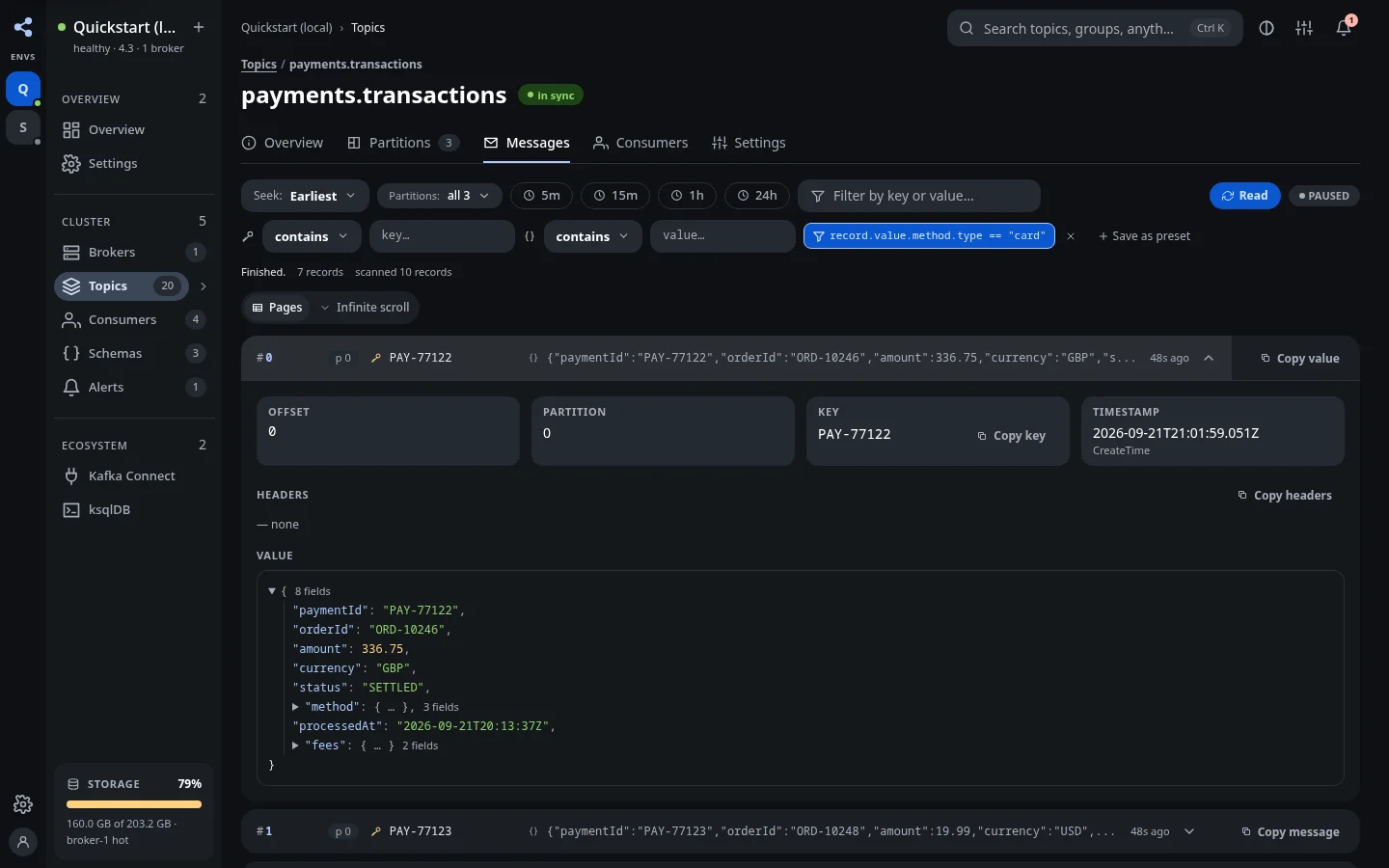
Use the field editor#
Open the smart-filter dialog and choose the decoded key or value. Enter a supported JSONPath, such as $.status, choose a comparison, and set the value type and value. Use Try it on a selected sample before Use this filter.
JSON, Avro, JSON Schema, and Protobuf payloads can be decoded into structured fields. A plain-string payload should use text predicates rather than structured field access.
Write an advanced CEL expression#
The advanced editor accepts a boolean CEL expression. For decoded structured data:
textrecord.value.status == "DECLINED"
For string content:
textrecord.valueAsText.contains("payment")
For a specific partition and offset range:
textrecord.partition == 0 && record.offset >= 100 && record.offset < 200
These examples depend on the record format and the fields present in your payload. A missing field can produce an evaluation error. The preview shows that error separately from a valid non-match.
Available fields#
| Field | Meaning |
|---|---|
record.partition, record.offset |
Partition and partition-local offset |
record.timestampMs |
Timestamp in milliseconds |
record.keyAsText, record.valueAsText |
Serde-decoded text |
record.key, record.value |
Decoded JSON structure, when available |
record.headers |
Header names mapped to string values |
Preview, then apply#
Try it answers whether the chosen record matches. Use this filter compiles the expression and restarts the browse with that filter. A legal expression such as record.offset is not a boolean predicate; preview it to catch this before reading a large topic.
A match, a non-match, and an evaluation failure are different outcomes. If no records match, check the starting point and sample before assuming the topic is empty. Clear the filter to return to unfiltered browsing.
Save a preset#
Named presets are local to the browser and cluster. They are not server-managed shared filters. KUI retains up to eight presets; blocked browser storage may prevent persistence between sessions.