⚡ Terminal-native Twitch chat

Twitch chat that lives in your terminal.

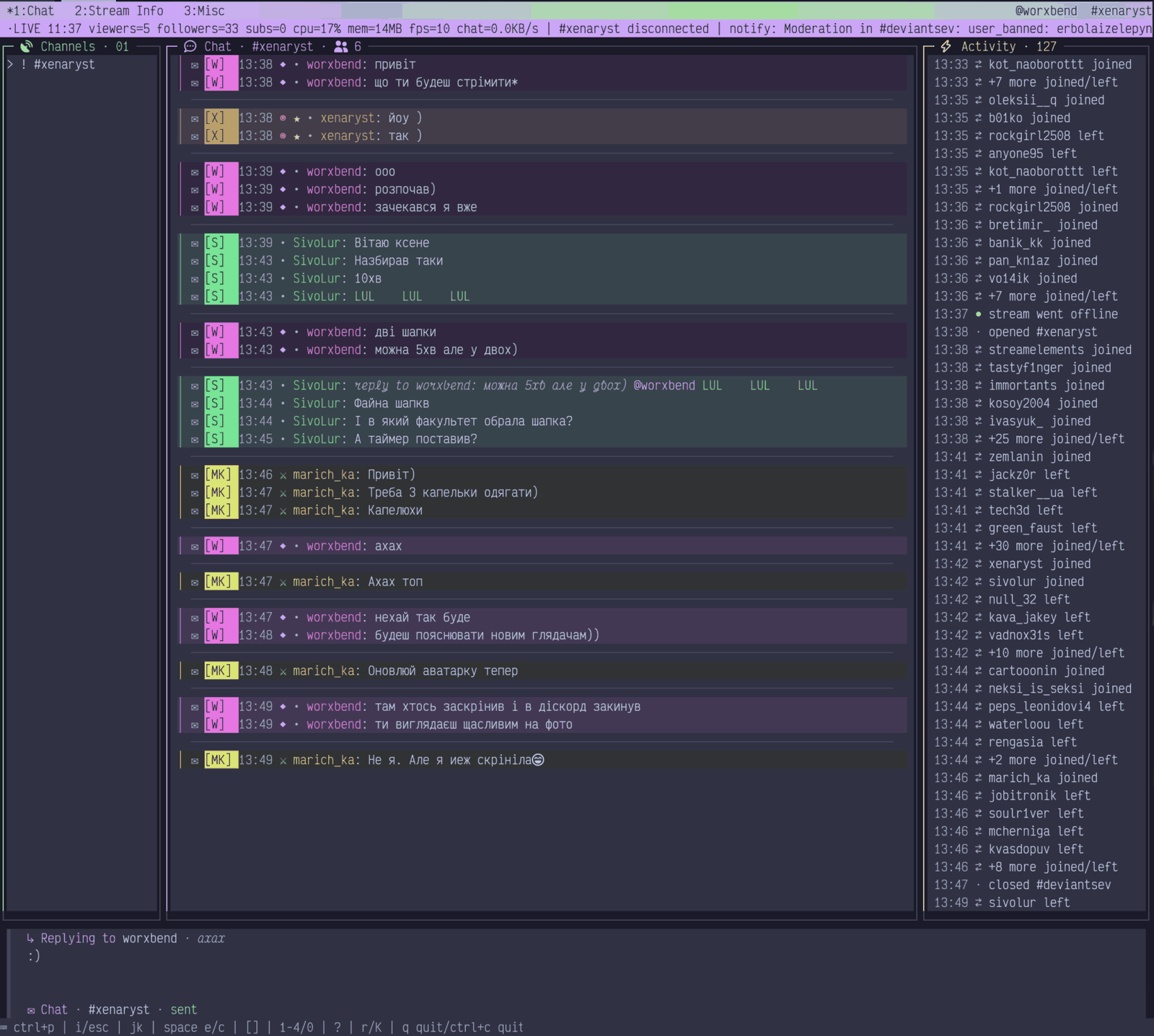
twi is a keyboard-first Twitch chat client written in Go. Read and send chat, switch channels, and watch raids roll in — without a browser tab, and without your OAuth token ever showing up in a log.

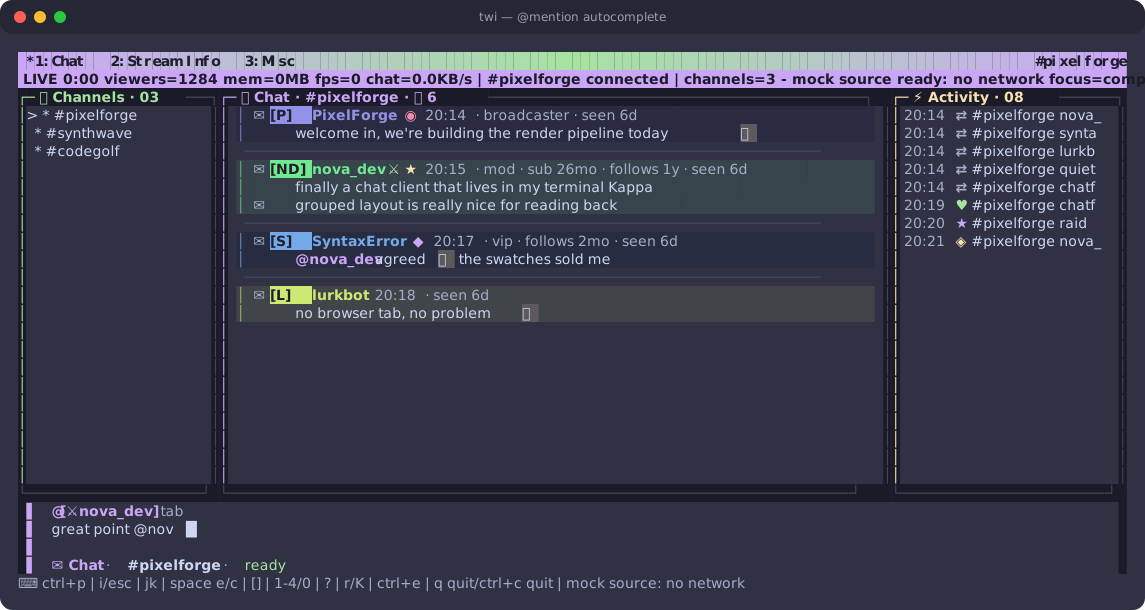
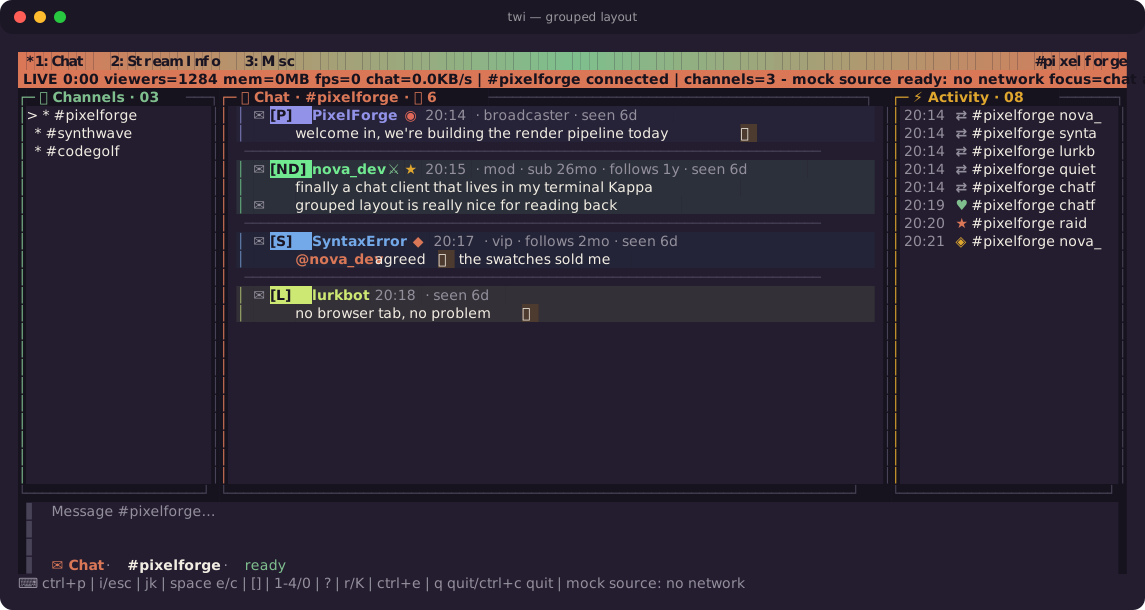
twi running in a terminal, showing grouped chat messages with badges, per-user colors, an activity feed, and a channel sidebar
Walkthrough

A minute in twi

Start with nothing open, find a channel, open a second one, and reply — the same keys you would actually press, in order.

  1. 01Launch with no channel — the shell waits instead of erroring out.
  2. 02Type /channels, or press space c.
  3. 03Pick from the channels you follow, or type any name.
  4. 04space e shows the channel sidebar.
  5. 05Open a second channel — it joins on the same connection.
  6. 06i to write, enter to send, esc back to chat.
Loops automatically.
Why twi

Built for people who already live in a terminal

Every surface is keyboard-reachable, resize-aware, and designed to stay readable when chat is moving fast.

🎨

57 built-in themes

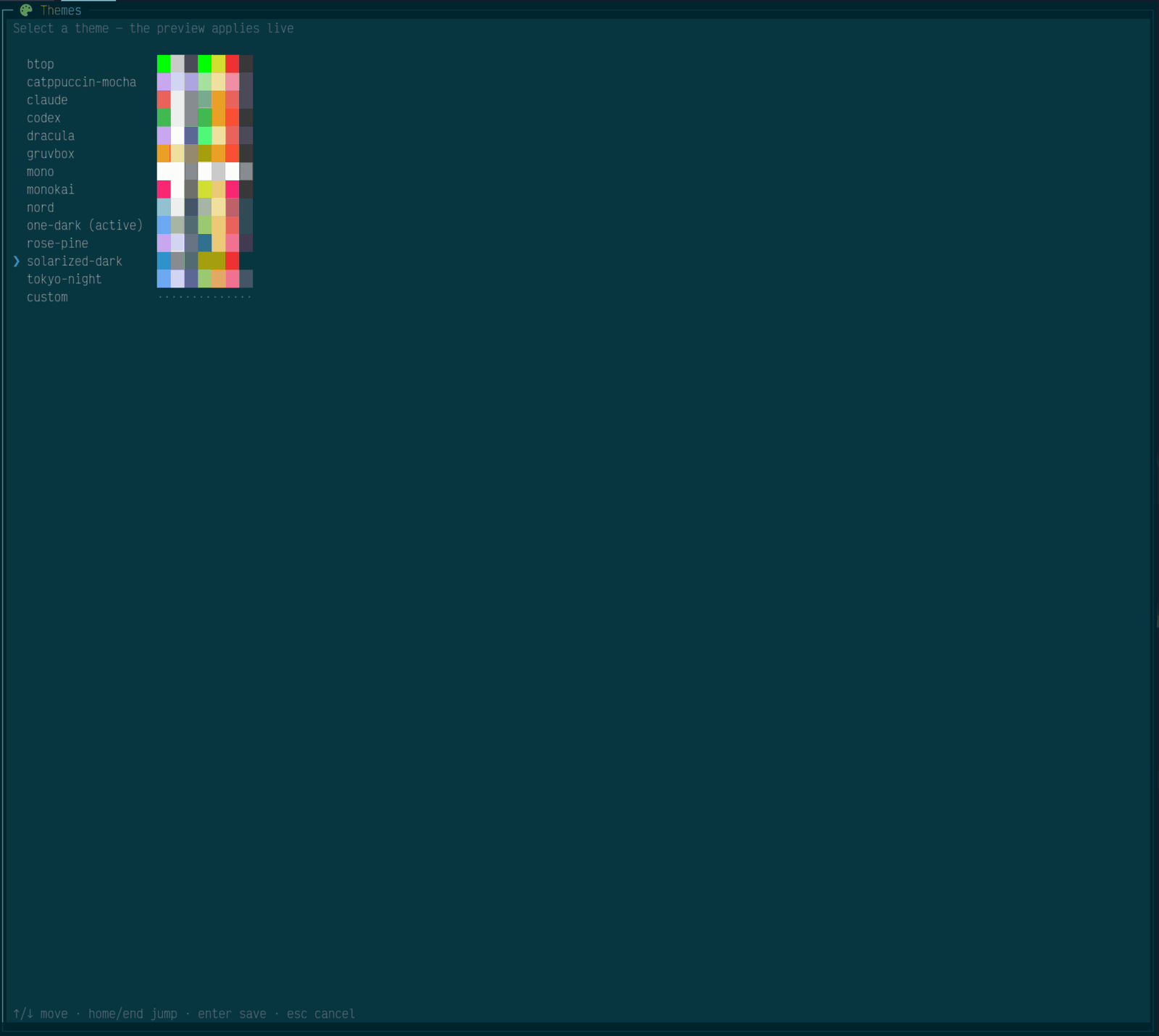
Claude, Catppuccin, Dracula, Gruvbox, Nord, Tokyo Night, Kanagawa, Everforest, Ayu, Solarized and more, plus 24 vibrant near-black presets authored for twi (Neon Tokyo, Cyberpunk, Matrix, Hotline, Plasma, Ruby, Bullion, Obsidian and friends) — 52 dark, 5 light, plus a custom hex palette. Preview them live with a full-screen picker.

🧩

Three message layouts

Grouped blocks with an author header, dense inline rows, or a stripped-back compact view. Swap between them at runtime with ctrl+g.

🌈

Per-user color, everywhere

Each chatter gets a stable hash-derived color that carries into their name, the message surface, and the gutter rail — so you recognize regulars at a glance.

💬

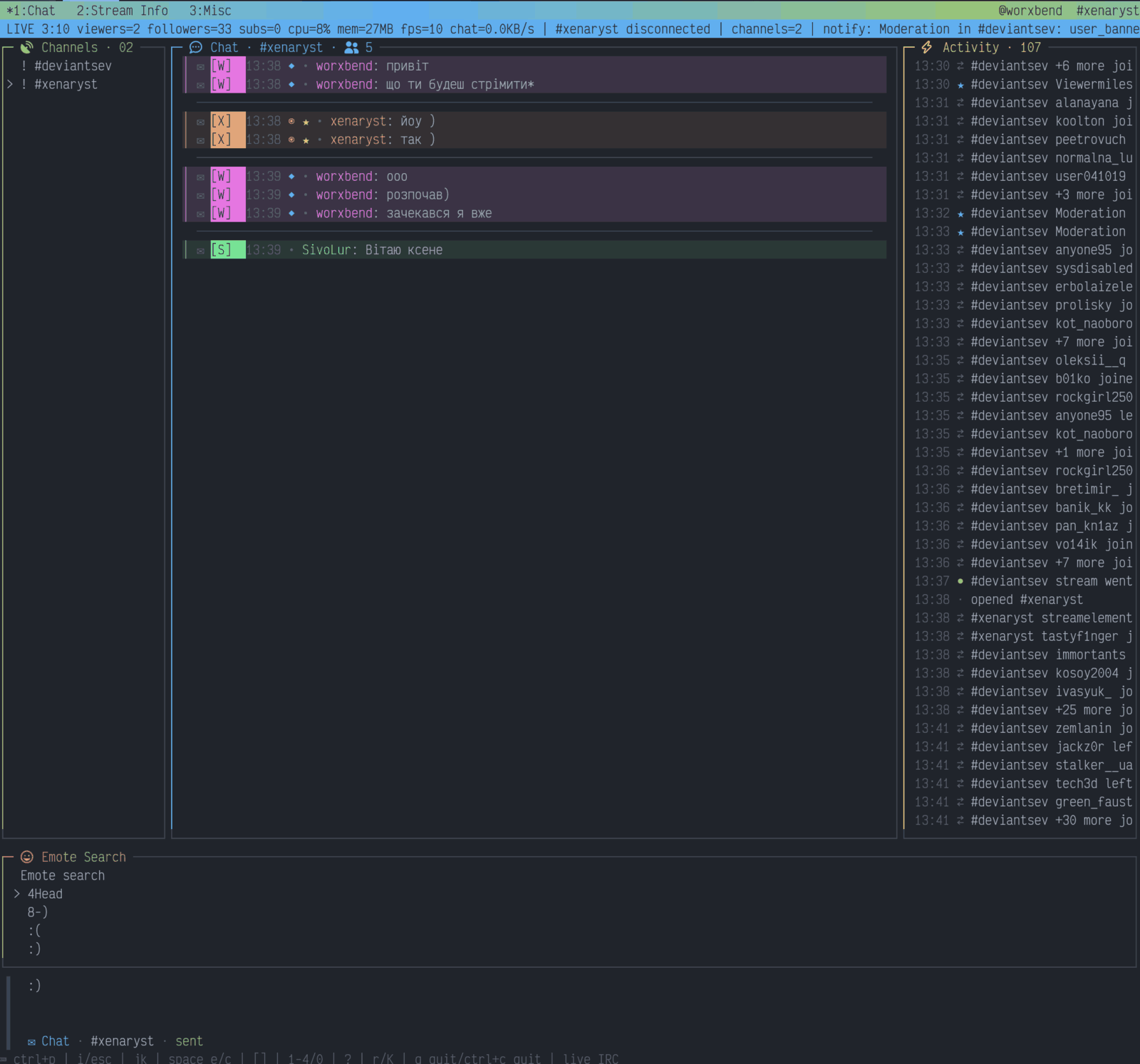
@mention autocomplete

Type @ and a prefix to complete from people actually in chat, ranked by who spoke most recently. tab accepts.

🏅

Glyph badges & user context

Broadcaster, mod, VIP and sub badges render as compact icons, alongside sub tenure, follow age, and how long you have seen someone in chat.

Live activity feed

Raids, subs, cheers, follows, and join/leave events land in a dedicated column with per-kind glyphs — noisy reconnect bursts collapse automatically.

🔐

Secrets stay redacted

OAuth tokens, refresh tokens, client secrets, and callback values are kept out of normal output, debug logs, and diagnostics by design.

🧪

Mock mode, zero setup

Run the whole UI with no credentials and no network. Great for trying twi, taking screenshots, or debugging your terminal setup.

🩺

A doctor that tells the truth

twi doctor checks config, credentials, scopes, terminal capability, and API reachability — and reports what it could not verify.
Screenshots

Real frames, not mockups

Every image below is generated by rendering twi's actual view and converting the terminal output to SVG, so it cannot drift from what the app prints.

Grouped layout: each author gets a header row with badges and metadata, with their consecutive messages indented beneath
Grouped layout — one header per author, consecutive messages collapsed underneath, tinted by that user's color. Theme: claude.
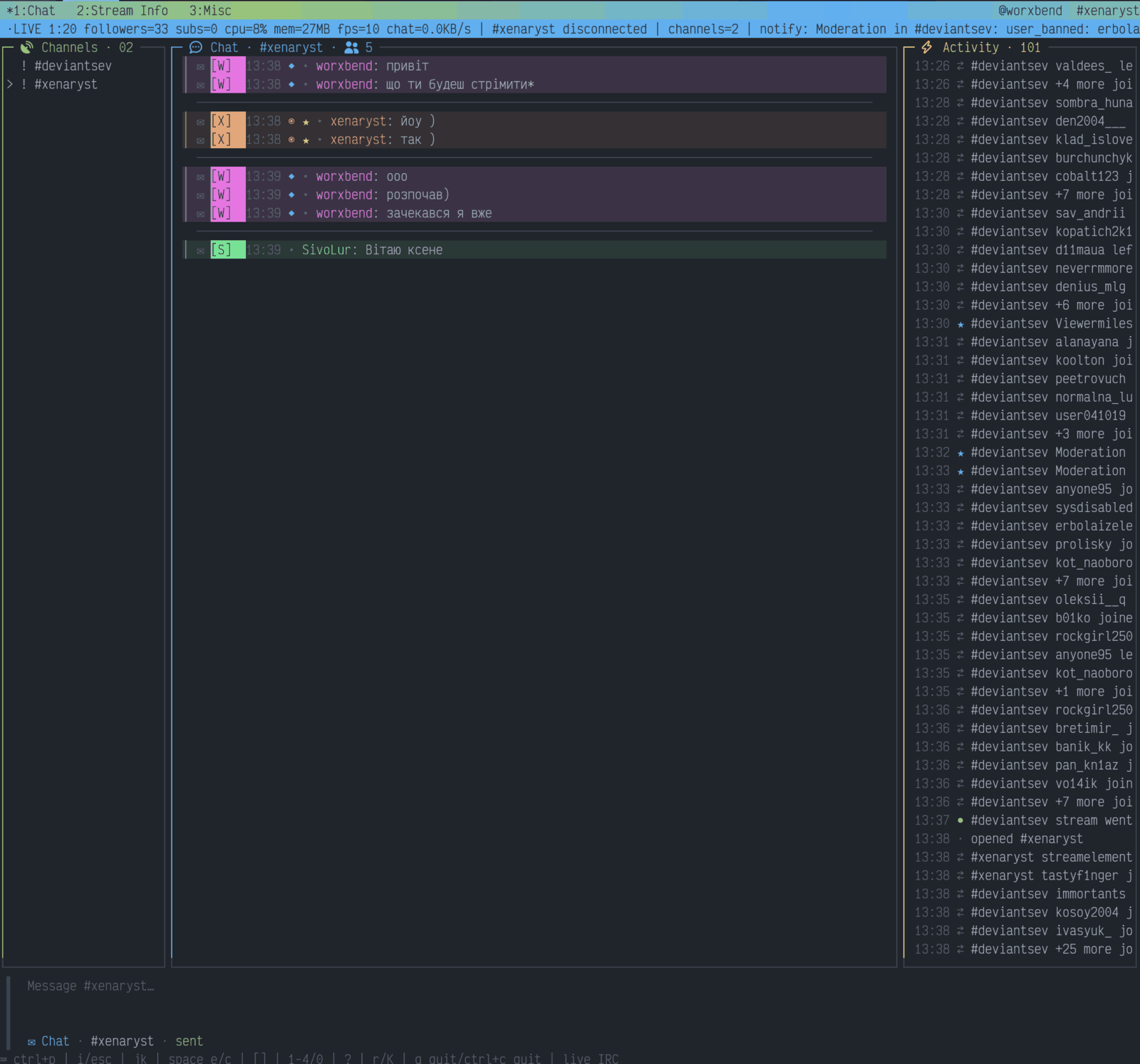
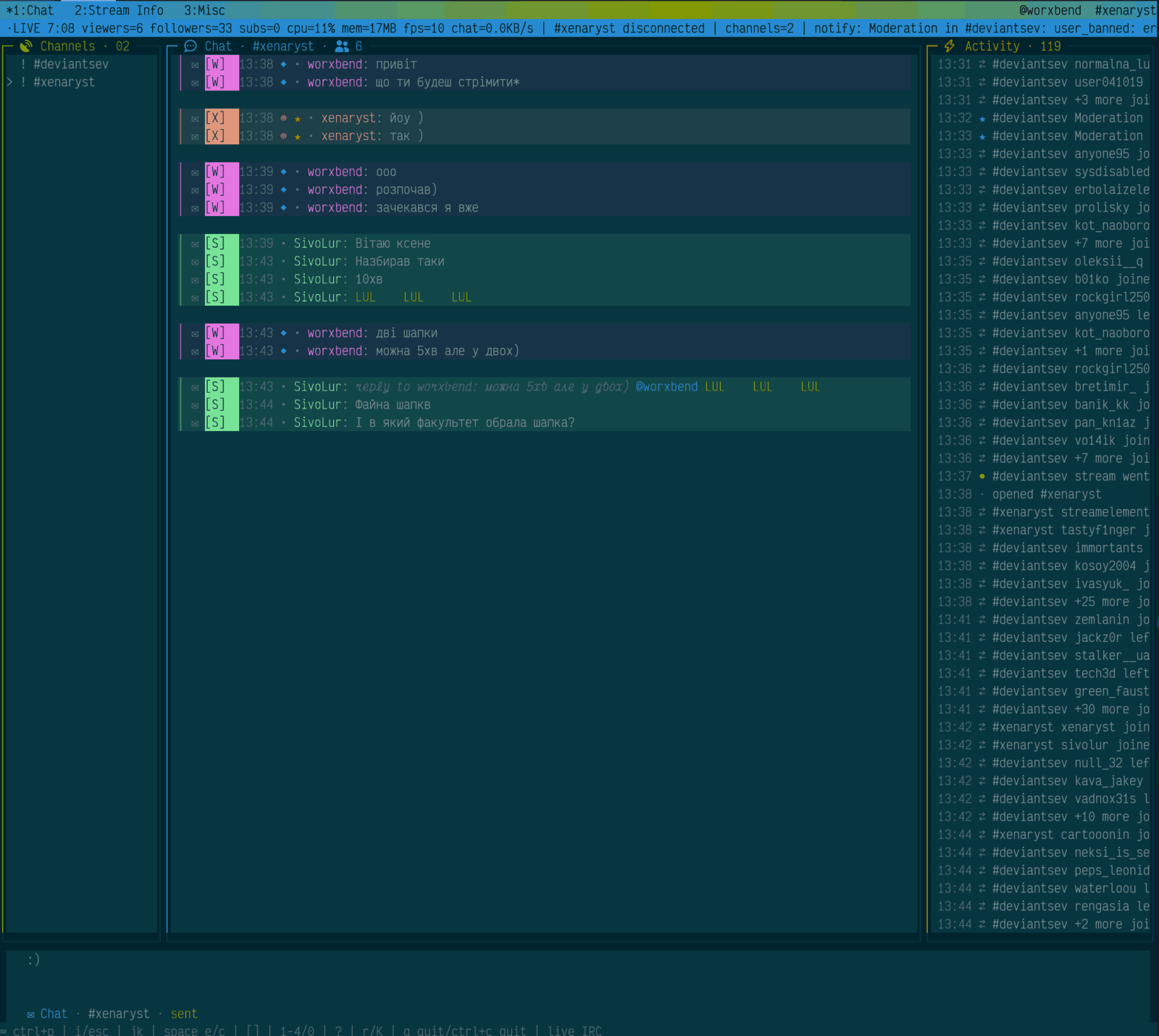
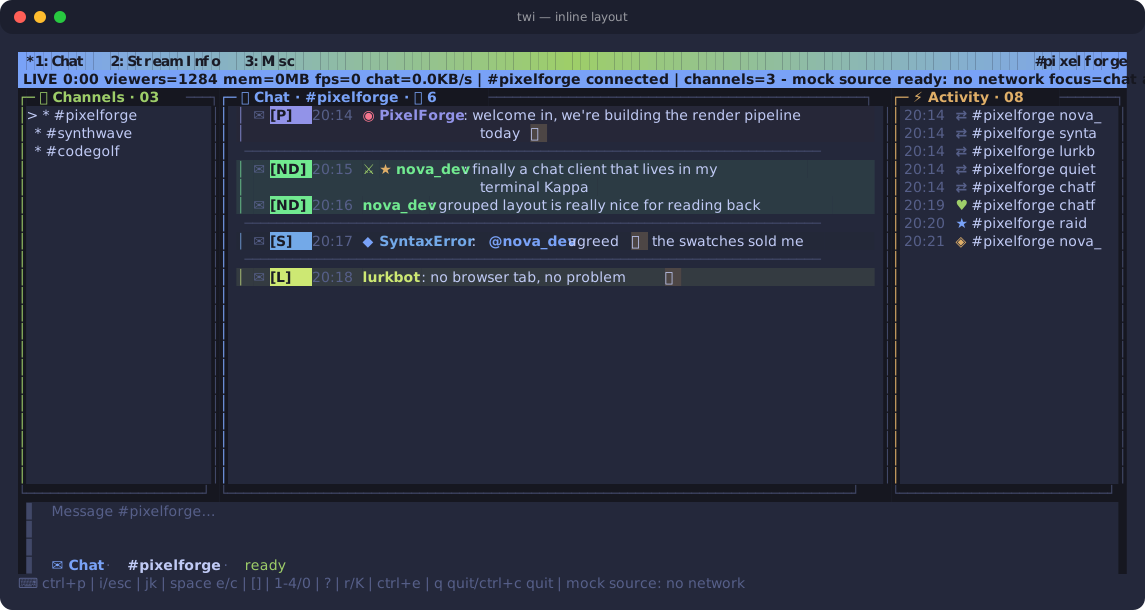
Inline layout: every message on a single row with timestamp, badges, username and text
Inline layout — the dense classic view, every row self-describing. Theme: tokyo-night.
The composer showing an @mention autocomplete strip with candidate usernames and role glyphs
@mention autocomplete — candidates come from the live chatter roster, ranked by recency. Theme: catppuccin-mocha.
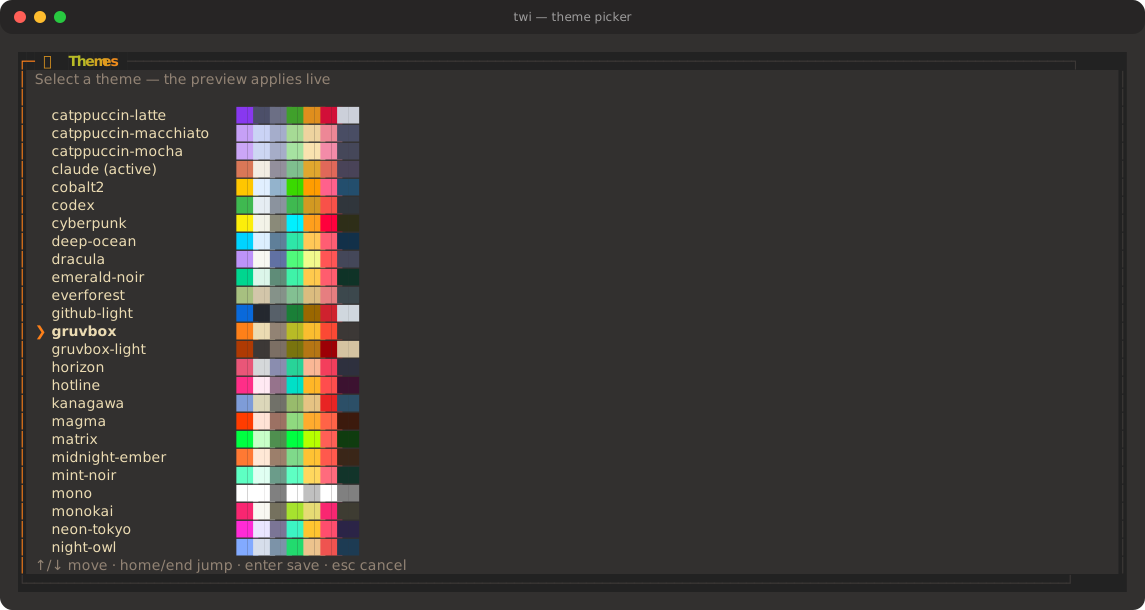
Full-screen theme picker listing every preset with a swatch strip of its own colors
Theme picker (ctrl+t) — every preset with a swatch strip of its own palette, previewed live as you move.
Themes

Thirteen presets, or bring your own hex

Press ctrl+t to preview live and enter to save, or set theme_name in config. Swatches below are the real palette values.

claude default
catppuccin-mocha
tokyo-night
dracula
gruvbox
nord
one-dark
rose-pine
monokai
solarized-dark
codex
btop
mono
Install

Running in about thirty seconds

Try it with no credentials first — mock mode needs no Twitch app, no token, and no network.

🧪 1. Try it (no credentials)

# run the full UI against mock chat $ go run ./cmd/twi chat --mock --channel demo

📦 2. Install a release binary

# Linux: downloads, verifies checksum, wires ~/.local/bin $ curl --proto '=https' --tlsv1.2 -sSf \ https://github.com/worxbend/twi/releases/latest/download/install.sh | sh

🐳 Or use Docker

$ docker build -t twi:local . $ docker run --rm -it twi:local chat --mock --channel demo

🔑 3. Connect to real Twitch chat

Bring your own Twitch app. twi ships without a bundled Twitch application. Register a personal app in the Twitch developer console and give twi its client ID and secret — see the setup walkthrough.

$ export TWI_TWITCH_CLIENT_ID="your_client_id" $ export TWI_TWITCH_CLIENT_SECRET="your_secret" # browser OAuth flow; tokens are never printed $ twi login # check everything before going live $ twi doctor $ twi chat --channel yourchannel

Scopes: reading chat needs chat:read; sending from the composer also needs chat:edit. twi validates token identity, expiry, and scopes before it connects.

No username to configure. twi authenticates as whichever account the token belongs to — Twitch requires the IRC login to be the token's own account. The channels you join are independent: sign in as one account and read or send in any channel you aren't banned from.

Keyboard

Everything is a keystroke away

Press ? in the app for expanded help — unless you're typing a message, in which case it's just a question mark.

ctrl+pCommand palette
ctrl+tTheme picker (live preview)
ctrl+gCycle message layout
ctrl+bCycle badge style
ctrl+yToggle emote highlight
ctrl+nToggle full usernames
ctrl+eSearchable emote picker
@ + tabComplete a chatter's name
[ ]Switch channel
tabCycle focus
r / iReply / inspect message
ctrl+rReconnect
Release notes

What's new

Full history in the changelog.

🎨

v0.14 · Twenty more themes

The built-in set went from 13 to 33: Catppuccin Macchiato and Frappé, Rosé Pine Moon, Everforest, Kanagawa, Ayu, Night Owl, Palenight, Synthwave '84, Oceanic Next, Nightfox, Zenburn, Cobalt2, Horizon — plus twi's first five light palettes. Every preset is contrast-tested against its own background and pane surface.

v0.14 · Text that moves

A shared text-effect engine — typewriter, gradient wave, shimmer, and a bouncing marker with a fading trail — drives the splash tagline and the empty state off the same ~10fps clock. Every effect holds its label's width, so nothing reflows, and animation_mode = "off" renders the same words statically.

📡

v0.13 · Open any channel, any time

/channels (or space c) opens a picker that autocompletes from the channels you follow and accepts any name you type. Channels join and part on the live connection, --channels a,b opens several at once, and starting with none at all is fine.

⌨️

v0.13 · Vim keys and a leader chord

i/o/a start typing, esc returns to chat, j/k select messages, and space is a leader: e for the channel sidebar, c to open a channel, x to close one. Inspect moved to K. The mouse reaches tabs, the sidebar, and picker rows.

🔑

v0.12 · Sign in once, chat anywhere

The IRC login is now derived from your OAuth token instead of config, so twitch_username is optional. Signing in as one account and chatting in another channel just works — a stale username is a warning, not a startup failure.

👥

v0.11 · Chat roster

Membership tracking powers @mention autocomplete, per-author context (role, sub tenure, follow age), a live chatter count, and join/leave rows in the activity column.